
The Great Background Debate: AI Virtual vs LED Wall
Video production in 2026 has reached an inflection point. Two technologies now compete for the title of “best background solution”: AI virtual backgrounds (software-driven, used in Zoom, Microsoft Teams, OBS Studio, and dedicated compositing tools) and LED volume walls (physical displays that surround talent with photorealistic environments in real time). Each approach has passionate advocates — and genuine trade-offs that every creator, marketer, and filmmaker should understand before committing budget.
At Upperland Studio in Richmond, BC, we operate a professional 7 m × 4 m LED wall powered by Unreal Engine, so we see both sides of this debate every day. In this guide we break down image quality, lighting interaction, talent freedom, cost structure, and workflow so you can make the right call for your next project.
What Are AI Virtual Backgrounds?
AI virtual backgrounds use machine-learning segmentation models to separate a person from their physical surroundings in real time. The software replaces the original background with a static image, video loop, or 3D scene — all rendered on the fly by a GPU or even a laptop CPU.
- Zoom & Microsoft Teams — built-in background replacement for meetings and webinars.
- OBS Studio + plugins — streamers and podcasters swap backgrounds during live broadcasts.
- Dedicated compositing tools — software like Unscreen, NVIDIA Broadcast, and Adobe After Effects AI masking for post-production work.
The appeal is obvious: zero physical setup, near-zero marginal cost, and infinite scene variety. But “zero setup” comes with caveats that become painfully visible once you move beyond a headshot frame.
What Is an LED Volume Wall?
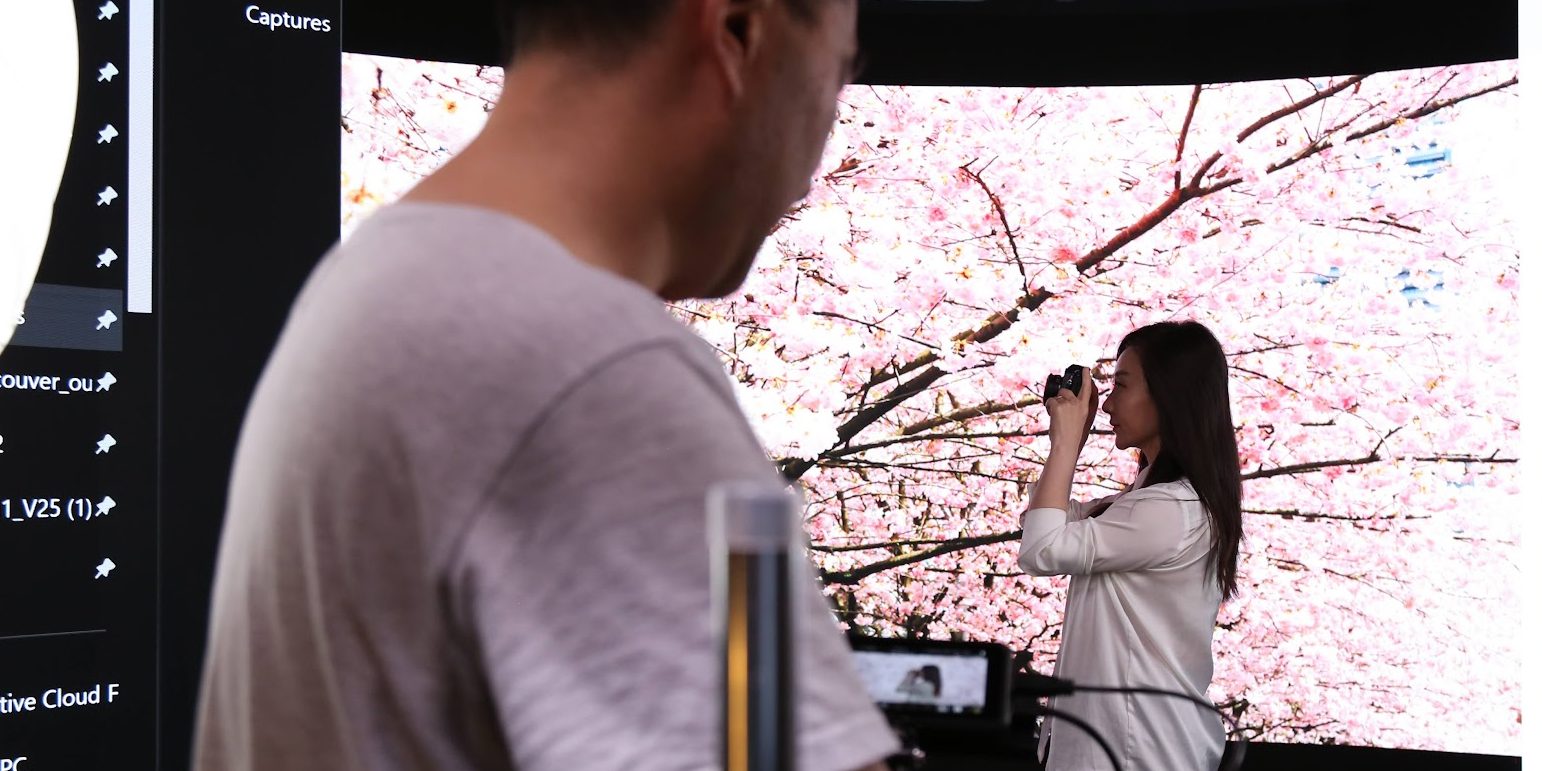
An LED volume wall — sometimes called a virtual production stage — is a curved or flat array of high-resolution LED panels that physically display a 3D environment behind (and sometimes around) the talent. The scene is rendered in a game engine such as Unreal Engine and responds to camera tracking in real time, creating correct parallax and perspective shifts.
LED walls gained mainstream attention after The Mandalorian (2019) and have since become accessible to indie filmmakers and corporate video teams. Studios like Upperland Studio now offer LED wall rental starting at $99/hr, making the technology viable for projects of almost any size.
Head-to-Head Comparison: 7 Critical Factors
1. Image Quality & Realism
AI virtual backgrounds can look convincing in a static webcam shot, but edge artifacts — hair fringing, flickering outlines, and warping near fast-moving limbs — remain common even with 2026-era models. Quality degrades further with complex clothing, glasses, or poor lighting.
LED walls produce a physically present image that the camera captures optically. There is no edge segmentation because the background literally exists in the room. The result is broadcast-grade realism straight out of camera.
2. Lighting & Reflections
This is where the gap is widest. An AI background adds a backdrop but cannot cast light onto the talent. A sunset scene behind a speaker will not bathe their face in warm orange — the mismatch is immediately noticeable to viewers, even subconsciously.
An LED wall emits real photons. A sunset scene physically lights the talent with warm tones, and reflective surfaces — eyeglasses, watches, glossy jackets — show correct reflections of the environment. This single advantage often justifies the cost difference for professional productions.
3. Talent Movement & Camera Freedom
AI backgrounds work best when the subject stays relatively still within a defined frame. Walk across the room, gesture broadly, or turn sideways and the segmentation model struggles. Camera movement is essentially fixed.
On an LED stage, talent can walk freely, interact with props, and the camera can dolly, pan, or even use a Steadicam. The background responds to the camera’s tracked position, maintaining parallax — just like a real location.
4. Cost Structure
AI backgrounds: Near-zero direct cost. Free in Zoom/Teams; OBS plugins are free or low-cost; dedicated tools range from $10–$50/month. The hidden cost is time spent fixing artifacts in post and the credibility gap of a visibly fake background.
LED wall: Studio rental fees apply. At Upperland Studio, rates start at $99/hr — competitive with renting a traditional studio plus a green screen, lighting rigs, and post-production keying. You also save on location travel, permits, and weather delays.
5. Setup & Turnaround Time
AI backgrounds win on convenience: click a button and you are “on location.” LED walls require booking a studio, loading a scene in Unreal Engine, and calibrating color — typically 30–60 minutes of prep. However, once rolling, scene changes on an LED wall take seconds, whereas swapping AI backgrounds mid-take can cause visible glitches.
6. Post-Production Workload
Footage shot on an LED wall is final-pixel in-camera. What you see on the monitor is what you get — minimal compositing, no rotoscoping, no edge cleanup. AI-background footage almost always requires touch-up: fixing hair edges, correcting color spill, and masking problem frames. For high-volume content creators, this post-production tax adds up fast.
7. Scalability & Versatility
AI backgrounds scale infinitely — anyone with a webcam can use them. LED walls are location-bound but offer unmatched versatility: corporate interviews, music videos, product launches, virtual events, and even feature-film scenes can all be shot on the same stage in a single day.
When to Use AI Virtual Backgrounds
- Internal meetings & casual webinars — hiding a messy home office is perfectly fine with AI.
- High-volume, low-stakes social clips — TikTok or Instagram Reels where lo-fi is part of the aesthetic.
- Remote teams on a zero budget — when any background is better than none.
- Quick prototyping — test a concept before investing in a studio shoot.
When to Use an LED Wall
- Brand videos & commercials — where lighting realism and production value directly impact ROI.
- Product launches & keynotes — immersive stages that impress live and on-camera audiences.
- Narrative film & music videos — cinematic quality without location logistics.
- Corporate training & e-learning — consistent, distraction-free environments across dozens of modules.
- Multilingual content batches — shoot the same scene in English, Chinese, and Punjabi back-to-back without rebuilding sets.
The Hybrid Approach: Best of Both Worlds
Smart production teams are combining both technologies. A common workflow:
- Hero shots on the LED wall — key scenes that demand perfect lighting and realism.
- B-roll and talking-head inserts with AI backgrounds — supplemental footage where speed matters more than perfection.
- AI-assisted post on LED footage — using AI tools to extend or modify the LED environment in post for VFX-heavy sequences.
This hybrid model lets you allocate budget where it has the most visual impact while keeping overall costs manageable.
The Future: Where Are Both Technologies Heading?
AI segmentation will continue to improve — edge quality, temporal consistency, and even rudimentary lighting estimation are active research areas. Expect AI backgrounds to become indistinguishable from real environments for static, well-lit, head-and-shoulders shots within the next two years.
LED walls, meanwhile, are getting brighter, higher-resolution, and cheaper per panel. MicroLED and miniLED advances are shrinking pixel pitch below 1 mm, enabling tighter camera shots. Real-time ray tracing in Unreal Engine 5.5+ is making reflections and global illumination even more convincing.
The convergence point? AI-enhanced LED production — where machine learning optimizes the LED content in real time based on camera position, talent movement, and even audience analytics. Studios that invest in both capabilities today will be best positioned for this future.
Frequently Asked Questions
Can AI virtual backgrounds match LED wall quality for YouTube videos?
For a static talking-head video with good front lighting, AI backgrounds can look acceptable on YouTube. However, any camera movement, full-body shots, or scenes requiring realistic light interaction will reveal the limitations. If your channel competes on production value, an LED wall shoot delivers noticeably better results.
How much does it cost to rent an LED wall studio?
Rates vary by market and wall size. At Upperland Studio in Richmond, BC, our 7 m × 4 m LED wall with Unreal Engine starts at $99/hr. A typical half-day shoot (4 hours) costs around $400 — often less than renting a location, buying permits, and paying for green-screen post-production.
Do I need a green screen if I have an AI background tool?
AI background tools are designed to work without a green screen — that is their main selling point. However, a physical green screen still produces cleaner keys for professional compositing. An LED wall eliminates the need for both green screens and AI segmentation entirely.
Can I use an LED wall for live streaming?
Absolutely. LED walls are increasingly popular for live-streamed events, product launches, and virtual conferences. The background is real and requires no compositing, so the live feed looks polished without any streaming-software plugins.
What is the minimum crew size for an LED wall shoot?
At Upperland Studio, a minimal crew of 2–3 people (camera operator, Unreal Engine technician, and director) can run a full LED wall shoot. For simpler setups like interviews or podcast recordings, a single experienced operator can manage both camera and LED content.
Ready to See the Difference for Yourself?
The best way to understand the gap between AI virtual backgrounds and an LED wall is to experience it in person. Book a studio tour or a test shoot at Upperland Studio — our 7 m × 4 m LED wall at 238-13880 Wireless Way, Richmond, BC is available from $99/hr.
👉 Contact us to schedule your visit | 📧 info@upperlandstudio.com
Upperland Studio — Where virtual production meets real results.