
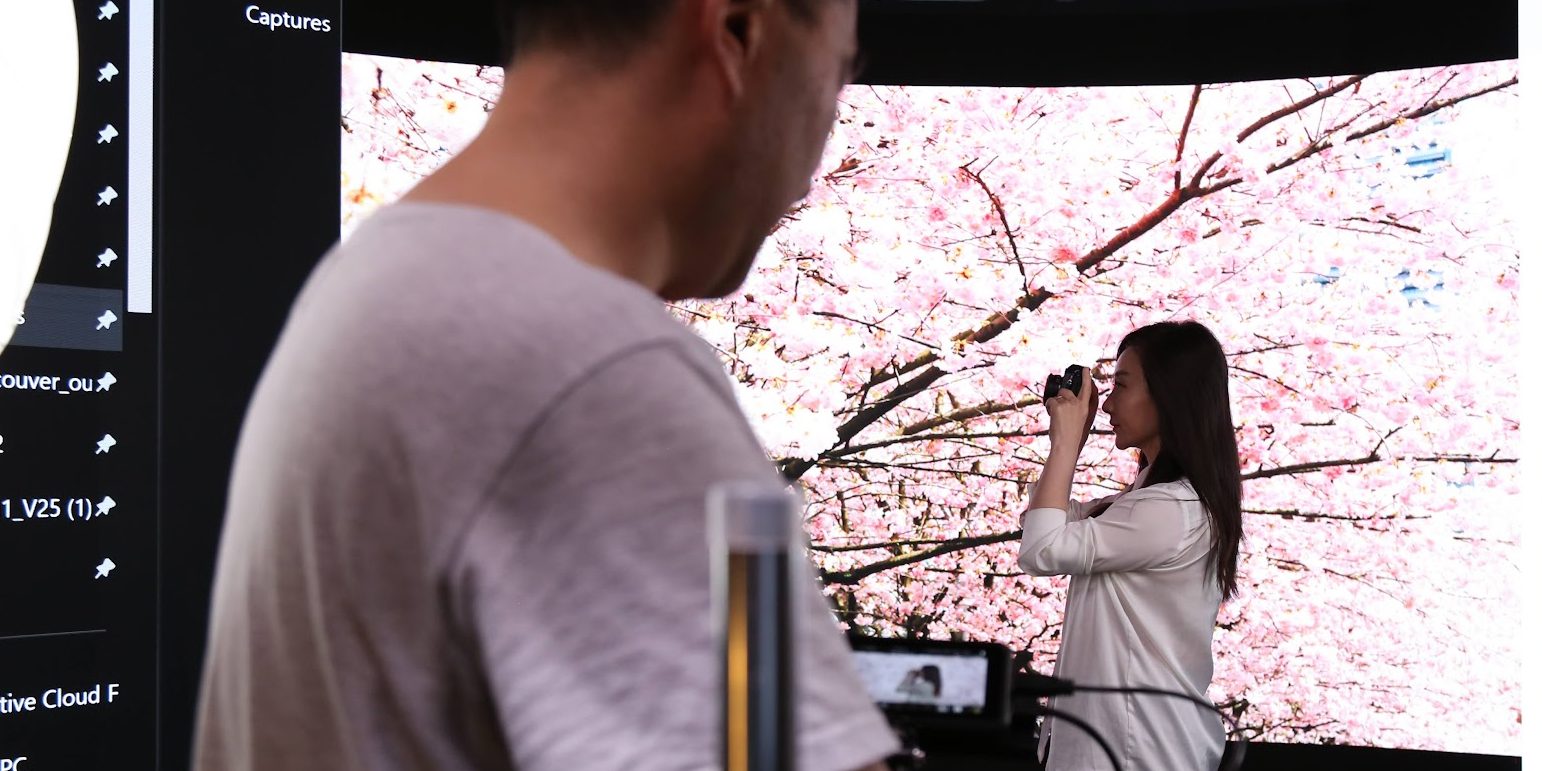
When you watched The Mandalorian and marveled at those photorealistic alien landscapes, you weren’t looking at green screen composites. You were seeing Unreal Engine running in real time on a massive LED wall — and that same technology is now accessible to independent filmmakers, content creators, and brands right here in Vancouver. This guide explains everything you need to know about Unreal Engine for virtual production, even if you’ve never opened a game engine in your life.
What Is Unreal Engine?
Unreal Engine is a real-time 3D creation tool developed by Epic Games. Originally built for video games, it has evolved into the industry-standard engine for film, television, and commercial virtual production. Major studios — including Industrial Light & Magic (ILM), HBO, and Netflix production partners — rely on Unreal Engine to create photorealistic environments that render at 60+ frames per second.
The best part? Unreal Engine is completely free to download and use. Epic Games doesn’t charge licensing fees for film and TV production. This has democratized virtual production, making Hollywood-grade technology available to studios of every size — including Upperland Studio in Richmond, BC.
How Unreal Engine Works with LED Walls
Virtual production with Unreal Engine combines three core technologies: a high-resolution LED wall, a real-time 3D engine, and precision camera tracking. Here’s how they work together:
Real-time rendering: Unreal Engine generates a 3D environment — a city skyline, a forest, a spaceship interior — and displays it on the LED wall behind your subject. Unlike a static backdrop, the environment is alive: clouds move, lights shift, and reflections respond naturally.
Camera tracking (frustum): Sensors on the camera feed its exact position and angle to Unreal Engine in real time. The engine then adjusts the perspective of the background to match the camera’s viewpoint — creating a parallax effect that makes the background look genuinely three-dimensional. This tracked area is called the frustum, and it’s what sells the illusion of depth.
Perspective-correct backgrounds: Because the background shifts with the camera, the final footage looks like the actors are truly standing in the environment. Light from the LED wall wraps around the subject naturally, creating accurate reflections on skin, clothing, and props — something green screen can never achieve on set.
Key Unreal Engine Features for Virtual Production
Unreal Engine includes several purpose-built tools that make LED wall production possible:
nDisplay — Multi-Screen Management
nDisplay is Unreal Engine’s system for rendering a single 3D scene across multiple LED panels simultaneously. It ensures the image is seamless across the entire wall — no visible seams, no misaligned perspectives. Whether your LED volume is flat, curved, or wraps overhead, nDisplay handles the geometry.
Live Link — Camera and Motion Sync
Live Link connects camera tracking hardware, motion capture suits, and other real-world inputs directly to Unreal Engine. When the camera operator pans left, the virtual world shifts right — instantly. This zero-latency connection is what makes the parallax effect convincing to the human eye.
MetaHumans — Digital Characters
MetaHuman Creator lets you build hyper-realistic digital humans with natural skin, hair, and expressions. While most virtual production uses real actors, MetaHumans are increasingly used for background characters, crowd scenes, and creative projects that blend live action with digital performers.
Quixel Megascans — Photorealistic Assets
Quixel Megascans is a library of thousands of photogrammetry-scanned real-world assets — rocks, trees, buildings, textures — all free for Unreal Engine users. Instead of building every environment from scratch, virtual production teams can assemble photorealistic scenes in hours using these pre-made, cinema-quality assets.
What You DON’T Need to Know
Here’s the most important takeaway for filmmakers and content creators: you don’t need to learn Unreal Engine yourself.
Virtual production is a team effort. Just as you wouldn’t build your own camera to shoot a film, you don’t need to master a game engine to use an LED wall. Studios like Upperland Studio employ technical artists and virtual production specialists who handle all the Unreal Engine work — environment design, camera tracking setup, real-time rendering, and troubleshooting.
Your job is to bring the creative vision. Describe the environment you want — a moody warehouse, a tropical beach, a futuristic office — and the technical team builds it. You focus on directing talent, framing shots, and telling your story. The engine is a tool, not a barrier.
The Virtual Production Workflow
Understanding the workflow helps you plan your project and budget. Here are the four stages:
Stage 1: Pre-Visualization
Before your shoot day, the virtual production team creates rough versions of your environments in Unreal Engine. You review camera angles, lighting moods, and scene compositions on screen — making creative decisions weeks before anyone steps on set. This eliminates the costly “figure it out on the day” approach.
Stage 2: Environment Design
The technical team refines your environments to final quality. They add lighting, atmospheric effects, and fine details using assets from Quixel Megascans and custom 3D models. The result is a cinema-quality virtual set that looks indistinguishable from a real location.
Stage 3: On-Set Filming
This is where the magic happens. Your talent performs in front of the LED wall while Unreal Engine renders the background in real time. The director sees the final composite on the monitor — no imagination required. Scene changes take minutes instead of hours. Need to switch from a rooftop at sunset to a rainy street corner? Load the next environment and keep shooting.
Stage 4: Minimal Post-Production
Because the background is captured in-camera, post-production is dramatically reduced. There’s no green screen keying, no compositing, no rotoscoping hair and fine edges. You may still do colour grading and audio mixing, but the heavy VFX work is already done. This can cut your post-production timeline — and budget — by 50-80%.
Getting Started with Virtual Production
If you’re new to virtual production, here’s the most practical advice we can give:
Visit a studio first. Reading about LED walls is one thing — seeing one in action is another. Book a studio tour at Upperland Studio to watch Unreal Engine rendering environments in real time. Most filmmakers have an “aha moment” the first time they see the LED wall respond to camera movement.
Bring your creative vision. You don’t need a technical brief or Unreal Engine files. Bring reference images, mood boards, location photos, or even sketches. The technical team translates your vision into a virtual environment. As explored in our first-time LED wall studio guide, preparation is about creative clarity, not technical expertise.
Let the technical team handle Unreal Engine. Your focus should be on story, performance, and framing. The virtual production operators manage nDisplay, Live Link, camera tracking, and real-time rendering. It’s a collaborative process — you direct the art, they direct the technology.
Upperland Studio’s Unreal Engine Setup
At Upperland Studio in Richmond, BC, our virtual production stage is purpose-built for Unreal Engine workflows:
7-metre × 4-metre curved LED wall — our seamless curved display wraps around performers, providing immersive backgrounds with natural light wrap. The curve eliminates visible edges and creates a more convincing sense of depth than flat LED walls.
Real-time camera tracking — our tracking system feeds camera position data to Unreal Engine at sub-frame latency, ensuring the frustum always matches the camera’s perspective. Move the camera and the background responds instantly.
Custom environment design — our Unreal Engine artists build bespoke virtual environments for your project. Whether you need a Vancouver cityscape, a European countryside, or a sci-fi interior, we create it to your specifications. We also maintain a library of ready-to-use environments for faster turnaround.
All of this is available at $99/hour — making professional virtual production accessible to independent filmmakers, content creators, and brands. Learn more about our LED wall capabilities in our LED wall vs green screen comparison.
Frequently Asked Questions
Do I need to learn Unreal Engine to use an LED wall?
No. The studio’s virtual production team handles all Unreal Engine operation. You bring the creative direction — environment concepts, mood references, shot lists — and the technical team builds and operates the virtual sets. Many of our clients have never opened Unreal Engine and produce stunning results.
Can I bring my own 3D environments?
Absolutely. If you or your team have created environments in Unreal Engine, Blender, Cinema 4D, or other 3D software, we can optimize and load them onto our LED wall. We accept Unreal Engine project files, FBX exports, and USD files. Our team will ensure they’re optimized for real-time performance on the LED volume.
How realistic are the LED wall backgrounds?
Extremely realistic. Using Unreal Engine 5 with Lumen global illumination and Nanite micro-polygon geometry, our backgrounds feature photorealistic lighting, reflections, and detail. On camera, they are often indistinguishable from real locations. The natural light spill from the LED wall onto your subject further sells the realism — something impossible with green screen.
How much does virtual production cost?
At Upperland Studio, LED wall studio time is $99/hour, which includes the LED wall, Unreal Engine operation, and camera tracking. Custom environment design is quoted per project depending on complexity. For most productions, the total cost is lower than traditional green screen when you factor in eliminated post-production compositing. Contact us for a custom quote.
Ready to Explore Virtual Production?
Unreal Engine has made virtual production accessible to creators at every level. You don’t need a Hollywood budget or a computer science degree — you need a creative vision and the right studio partner.
Upperland Studio — Vancouver’s accessible virtual production facility. LED wall studio rental at $99/hour with full Unreal Engine support.
📍 238-13880 Wireless Way, Richmond, BC V6V 0A3
📞 604-723-4239 | 778-668-3566
🌐 Book a studio tour or get a quote