Corporate town halls and all-hands meetings have become one of the most important communication tools for modern businesses. Whether your team is fully remote, hybrid, or spread across multiple offices, a professionally produced virtual event signals that leadership takes internal communication seriously. At Upperland Studio in Richmond BC, our LED wall virtual production facility is purpose-built for exactly this kind of corporate content — giving your town hall the production quality of a broadcast news studio at a fraction of the cost.
Why Production Quality Matters for Town Halls
Most companies default to Zoom or Teams calls for all-hands meetings. The CEO sits in a home office with uneven lighting, a bookshelf behind them, and audio that cuts in and out. The message may be important, but the delivery undermines it. Here is what changes when you invest in professional production:
- Employee engagement increases: Studies by Gallup consistently show that employees who feel informed and connected to leadership are 4.6× more likely to feel empowered to perform their best work.
- Message retention improves: Professional lighting, clear audio, and a polished visual backdrop signal importance. Viewers pay more attention and retain more information.
- Brand consistency is maintained: A branded LED wall background — showing your company logo, colour palette, and key messaging — reinforces corporate identity in every frame.
- Recording quality is archival: A well-produced town hall can be repurposed as onboarding material, investor content, or public relations assets.
The LED Wall Advantage for Corporate Branding
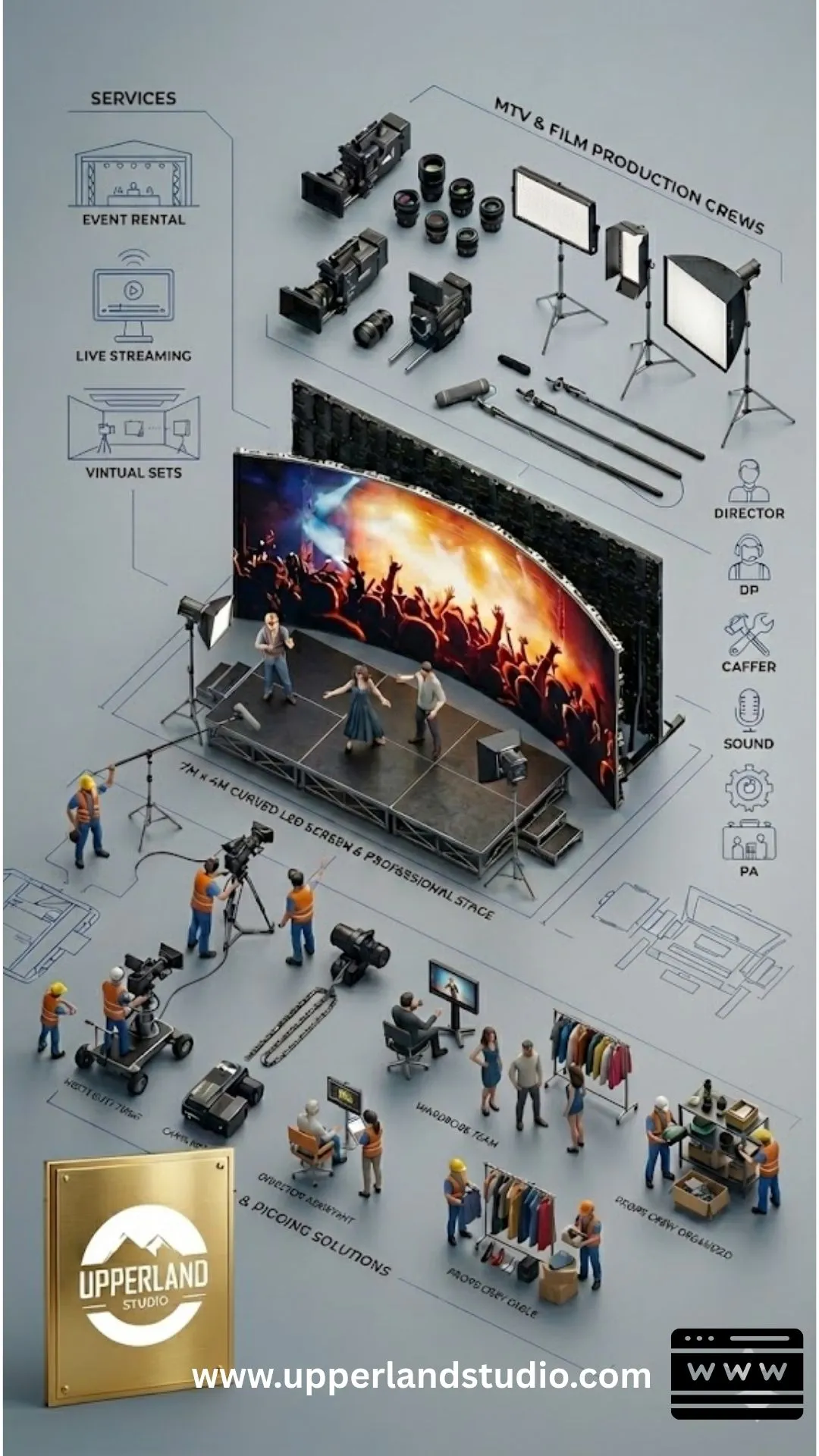
Upperland Studio’s 7 m × 4 m curved LED wall does something no green screen or virtual Zoom background can match: it wraps real, physically accurate light around your presenters. This means:
- Your branded background looks completely real on camera — no flickering edges, no outline artifacts, no uncanny-valley effect.
- Presenters’ skin tones are lit naturally by the wall’s output, eliminating the flat, washed-out look of green screen composites.
- Reflective surfaces (glasses, watches, podium surfaces) show the branded environment, not green spill.
- The background can change dynamically during the presentation — transitioning from a branded title card to a data visualization to a product reveal — all in real time, controlled by our Unreal Engine operator.
This is the same technology used by major broadcasters like CNN and ESPN for their studio shows. Your team gets broadcast-level production value in a facility that starts at $99 per hour.
Multi-Camera Setup for Dynamic Presentations
A single static camera angle is the fastest way to lose your audience during a 30-minute or 60-minute town hall. Our studio supports multi-camera configurations with real-time camera tracking, giving your production the visual variety of a television broadcast:
- Camera 1 — Wide establishing shot: Shows the full stage and LED wall background, used for openings, transitions, and audience-facing moments.
- Camera 2 — Medium close-up on the primary presenter: The workhorse angle for the main address, capturing gestures and expressions.
- Camera 3 — Tight close-up or secondary angle: Used for emphasis during key announcements, Q&A segments, or when switching between multiple speakers on stage.
Our real-time camera tracking system integrates with the Unreal Engine environment, ensuring the virtual background responds correctly to camera movement — parallax, depth of field, and perspective all behave exactly as they would on a real set. The result is polished, dynamic, and visually engaging. Learn more about the full studio setup at our studio rental page.
Live Streaming and Hybrid Event Support
Many corporate town halls need to be streamed live to remote employees while simultaneously recording a high-resolution archive. Upperland Studio supports both workflows:
- Live streaming: We can output a clean program feed via HDMI/SDI to your preferred streaming platform — Zoom, Microsoft Teams, YouTube Live, Vimeo, or a custom RTMP endpoint. Our high-speed internet connection supports 1080p and 4K live streams.
- Simultaneous recording: While the live stream runs, we record a separate high-bitrate master file for post-production editing, archiving, or content repurposing.
- Remote participant integration: If executives or guest speakers are joining remotely, their video feeds can be composited onto the LED wall in real time — making it appear as though everyone is on the same stage.
- Live graphics and lower thirds: Company logos, speaker names, agenda items, and data visualizations can be triggered live during the broadcast, managed by our technical team or your own graphics operator.
Audience Engagement Strategies for Virtual Town Halls
Production quality gets people to watch. Engagement strategies get them to care. Here are proven techniques that work especially well in a studio environment:
- Live polls and Q&A: Use platforms like Slido or your streaming tool’s built-in polling. Display results on the LED wall in real time for a broadcast-quality feel.
- Segment-based format: Break the town hall into 10–15 minute segments — CEO address, departmental updates, recognition awards, live Q&A — each with its own LED wall backdrop and visual identity.
- Walk-and-talk format: Instead of standing behind a podium, have the presenter walk across the stage as the LED wall background shifts — from the office lobby to the factory floor to the product lab. Movement keeps viewers engaged.
- Employee spotlight videos: Pre-produced short videos celebrating team achievements can play on the LED wall between live segments, adding variety and recognition.
- Interactive data reveals: Financial results, OKR updates, or product roadmaps can be rendered as animated infographics on the LED wall, revealed in real time by the presenter.
Town Hall Production Process: Step by Step
Here is how a typical corporate town hall production works at Upperland Studio, from initial planning to final delivery:
- Pre-production (1–2 weeks before): We meet with your communications team to review the agenda, branding guidelines, and technical requirements. We build or select LED wall environments, design lower thirds and graphics, and create a run-of-show document.
- Technical rehearsal (day before or morning of): Presenters walk through their segments on the LED wall stage. Camera angles are locked, audio levels are set, and the streaming infrastructure is tested end to end.
- Live production (event day): Our technical team manages the LED wall, camera switching, audio mixing, live graphics, and stream output. Your team focuses on content and delivery.
- Post-production (1–3 days after): We deliver the high-resolution master recording, edited highlights, and individual segment cutdowns as needed. These assets can be shared internally, added to your LMS, or published for public relations.
The entire process is designed to minimize the burden on your internal team. You bring the content; we handle the production. For a broader look at what our facility offers, see the complete LED wall studio guide.
Technical Requirements and What to Prepare
To ensure a smooth production day, here is what we recommend your team prepare:
- Brand assets: Vector logos (SVG or AI), brand colour hex codes, approved fonts, and any existing motion graphics or animated intros.
- Presentation files: PowerPoint, Keynote, or Google Slides decks should be finalized at least 48 hours before the event so we can integrate key slides into the LED wall environment.
- Run of show: A minute-by-minute agenda listing each segment, presenter, and any special cues (video playback, graphic reveals, live poll triggers).
- Wardrobe guidance: Solid colours work best on camera. Avoid fine patterns (herringbone, thin stripes) that can cause moiré effects. No green clothing if green screen segments are planned.
- Streaming credentials: If we are streaming to your corporate platform, provide RTMP keys, Zoom/Teams meeting links, or platform login credentials in advance.
Tips for Effective Corporate Video Presentations
- Keep segments short: Attention spans in virtual events drop sharply after 15 minutes. Rotate speakers and formats frequently.
- Use the teleprompter: Eye contact with the camera lens — not a laptop screen — makes a dramatic difference in perceived sincerity and authority.
- Rehearse transitions: The moments between segments are where amateur productions fall apart. Practice handoffs between speakers and cue live graphics during rehearsal.
- Record separate social clips: After the main event, use the remaining studio time to record 30–60 second social media clips summarizing key announcements. The LED wall background is already set up — take advantage of it.
Frequently Asked Questions
How many people can be on stage at once?
The LED wall stage comfortably accommodates 3–5 presenters simultaneously. For panel discussions or award ceremonies with more participants, we can configure additional seating and camera angles. Our event space can also host a live audience of 50–80 guests if your town hall includes an in-person component.
Can we stream to multiple platforms simultaneously?
Yes. We can output to multiple RTMP endpoints simultaneously — for example, streaming to both your internal Microsoft Teams channel and a public YouTube Live page at the same time. We can also integrate with enterprise webinar platforms like ON24 or Hopin.
What is the typical cost for a corporate town hall production?
A standard half-day town hall production (4–5 hours including setup, rehearsal, and the live event) typically runs $500–$1,200 depending on add-ons like custom graphics, a dedicated UE operator, and multi-platform streaming. See our full pricing guide for details.
Do you provide teleprompter services?
We can integrate a confidence monitor and teleprompter display into the camera setup. You supply the script; we configure the display for comfortable reading speed and eye-line accuracy.
Elevate Your Next Corporate Town Hall
Your team deserves better than a choppy Zoom call with a bookshelf background. Upperland Studio gives you broadcast-quality production — branded LED wall environments, multi-camera coverage, live streaming, and professional lighting — at a price that fits a corporate communications budget. Book your town hall production or call 604-723-4239 to start planning. We are located at 238-13880 Wireless Way, Richmond BC V6V 0A3.