
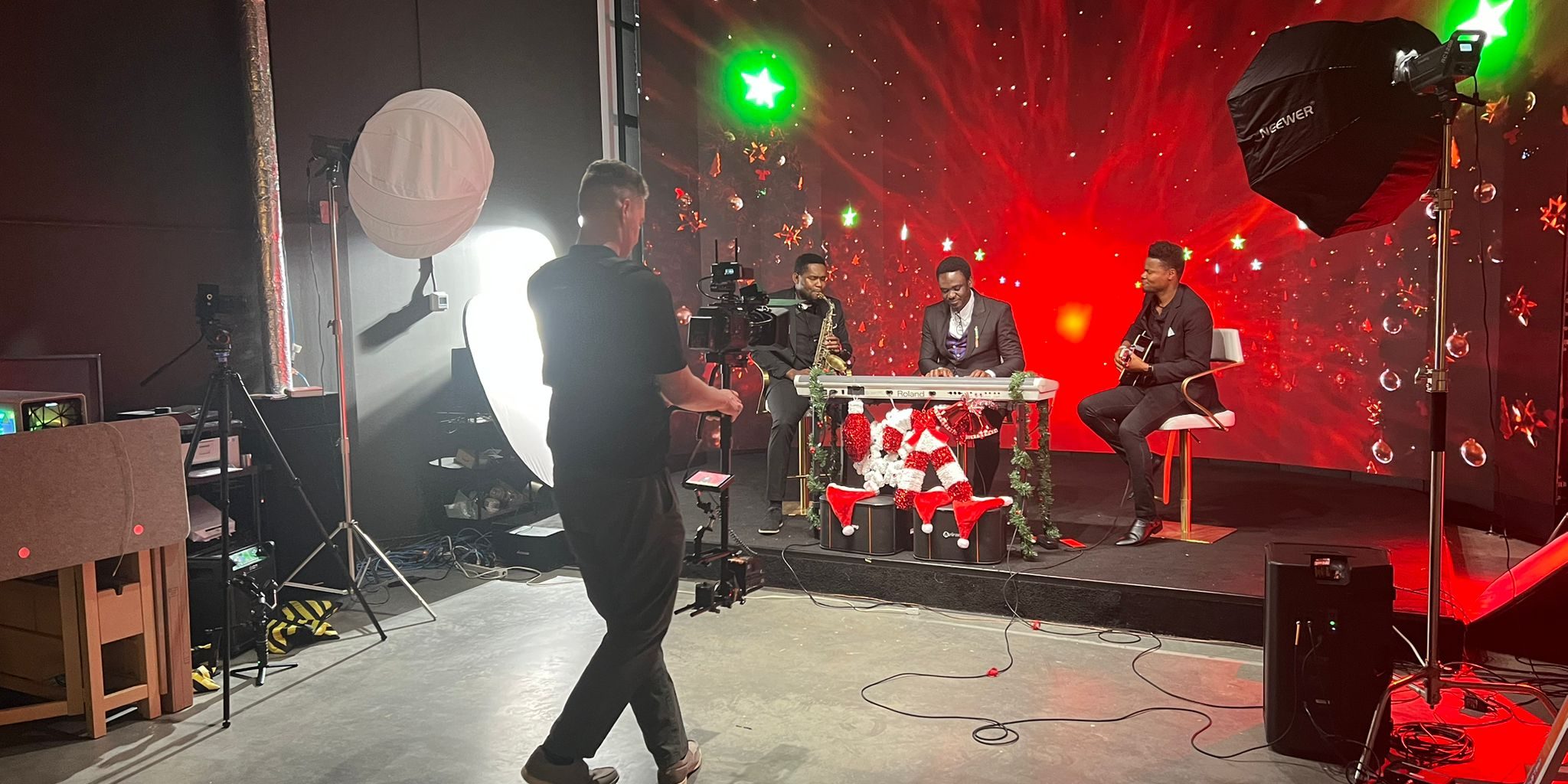
Walking into an LED wall studio for the first time can feel intimidating. Giant screens, game engines, camera tracking systems — it sounds like a Hollywood set. But here’s the truth: it’s designed to be simple for you. Whether you’re a solo content creator or a marketing team, this guide walks you through exactly what happens from booking to final footage.
Before Your Session: Preparation Checklist
1. Define Your Content Goals
Before booking, know what you want to walk away with. Common first-timer goals include:
- A batch of 5-10 short-form videos for social media
- A brand introduction video with cinematic backgrounds
- Professional headshots or portraits with custom backdrops
- A podcast episode with visual interest
2. Choose Your Backgrounds
At Upperland Studio, we have hundreds of pre-built Unreal Engine environments: cityscapes, nature scenes, minimalist gradients, branded sets, and more. You can also bring your own custom backgrounds — just send them to our team at least 48 hours before your session so we can load and test them.
3. Prepare Your Content
- Scripts or talking points: Even bullet points help. Studio time moves fast
- Wardrobe: Bring 2-3 outfit changes to create visual variety across your content
- Props: Books, products, laptop — whatever supports your brand
- Shot list: A simple list of every piece of content you want to capture
Arrival: What Happens When You Walk In
Upperland Studio is located at 238-13880 Wireless Way, Richmond BC — easy access from Highway 99 with free parking. When you arrive:
- Welcome and orientation (10 minutes): Our team gives you a quick tour of the studio space, explains how the LED wall works, and discusses your shot list
- Background setup (5-10 minutes): We load your chosen environments onto the 7-metre curved LED wall. You’ll see them come to life in real time — this is usually the “wow” moment for first-timers
- Camera and lighting check (5-10 minutes): Whether you bring your own camera or use ours, we ensure the framing, exposure, and colour are perfect. The LED wall acts as both your background and a key light source
During Your Session: The Filming Process
How Scene Changes Work
This is where LED walls shine. Need a cityscape for your intro, a library for your tutorial, and a sunset for your outro? Scene changes take 5-10 seconds. No set teardown, no waiting, no crew needed. Our technician handles the switch while you stay in position.
Batch Filming Strategy
Most first-timers are amazed at how much content they produce. A typical 3-hour session yields:
- 8-12 short-form videos (TikTok, Reels, Shorts)
- 2-3 long-form videos (YouTube, course modules)
- Dozens of still photos for social media, website, or marketing materials
The key: batch similar content together. Film all videos with the same background consecutively, change outfit, switch background, repeat.
What About Camera Tracking?
Our camera tracking system makes the LED wall background respond to camera movement — creating natural parallax that makes the virtual environment look completely real. You don’t need to understand how it works; our team handles the technology while you focus on your performance.
After Your Session: What You Get
Unlike green screen filming, LED wall footage requires zero compositing in post-production. Your footage is ready to edit immediately — the backgrounds are already baked into the shot. This means:
- No waiting weeks for VFX compositing
- No colour-matching headaches
- No edge artifacts or green spill around your hair
- You can publish content the same day you film it
Common First-Timer Mistakes (and How to Avoid Them)
- Not preparing enough content: Studio time goes fast. Bring more scripts/ideas than you think you need
- Only bringing one outfit: Multiple outfits create the illusion of different filming days
- Booking too little time: 2 hours is a minimum; 3-4 hours is the sweet spot for first-timers
- Forgetting to test audio: Bring your preferred microphone or let us know in advance so we can set one up
- Not sending backgrounds early: Custom Unreal Engine environments need pre-loading — send them 48+ hours before
How Much Does It Cost?
Upperland Studio charges $99/hour, all-inclusive. That covers the LED wall, Unreal Engine operation, camera tracking, lighting, and technical support. No hidden fees, no per-scene charges. It’s the most affordable LED wall studio in Metro Vancouver.
Ready to Book Your First Session?
Contact us to schedule or call 604-723-4239 / 778-668-3566. First-timers are welcome — our team will guide you through every step. Located at 238-13880 Wireless Way, Richmond BC V6V 0A3.
Frequently Asked Questions
Do I need to bring my own camera?
You can bring your own camera or discuss equipment options with us when booking. Any modern camera — including smartphones — works well with LED wall backgrounds.
Can I bring a friend or team member?
Yes, you’re welcome to bring your own crew, creative director, makeup artist, or support team. There’s no limit on the number of people in the studio.
What if I don’t know what backgrounds to choose?
Our team can help you select environments that match your brand and content goals. We have hundreds of options and can make recommendations based on your industry and audience.
How far in advance should I book?
We recommend booking at least 3-5 days in advance, though same-week availability is sometimes possible. Contact us to check current availability.